
Getting started with Blink Feed API
Overview
Blink Feed API can be used to aggregate critical alerts from external tools like Service Desks, HR Systems, Learning Management Systems and others into the Blink feed.
Feed notifications are rich, targeted updates sent directly to users or groups in the Blink app. You can personalise content, enable push notifications, reactions and comments as well as include images, links, buttons or other CardKit components.
This guide walks through the process of sending a feed notification to the Blink Feed using the Blink REST API. It’s designed to quickly help developers and integrators get started with their first use case.
Example: sending a feed post to an employee’s feed
Prerequisites
To send a feed post to a specific employee you will need:
- Access to the Blink Feed API
- An API token with permissions to post to the feed
- Employee ID or UUID for addressing the feed post to the right user (e.g.
"EMP00001")
All API requests to Blink Feed API must be authenticated using bearer token. This can be generated in the Admin Portal, by adding a new custom app to Blink within Manage Apps section. More about creating new apps can be found in this guide.
Example payload
{
    "comments_enabled": true,
    "reactions_enabled": true,
    "category": "1",
    "external_id": "4b3ccca4-d08c-44a5-8954-c8d7685dc73b",
    "organisation_employee_ids": {
        "employee_ids": ["EMP00001"]
    },
    "body": {
        "ribbon_color": "#03390f",
        "sections": [
            {
                "type": "text",
                "value": "🔔  **Mandatory Health and Safety Training** 🔔 ",
                "is_markdown": true
            },
            {
                "type": "text",
                "value": "As part of our commitment to ensuring a safe and healthy workplace, we are introducing mandatory Health and Safety Training for all employees. This online course is designed to empower each of you with the knowledge and skills needed to prevent accidents and manage risks effectively.",
                "is_markdown": true
            },
            {
                "type": "labelled_text",
                "label": "Due date",
                "value": "23 June 2024",
                "icon_url": "https://your-public-asset-domain.com/calendar.png"
            }
        ]
    }
}
Posting to the Feed
Send the payload as a POST request to the Blink Feed API:
curl -X POST https://api.joinblink.com/v1/feed \
  -H "Authorization: Bearer YOUR_API_TOKEN" \
  -H "Content-Type: application/json" \
 -d '{
    "comments_enabled": false,
    "reactions_enabled": false,
    "category": "1",
    ...
  }'
Result
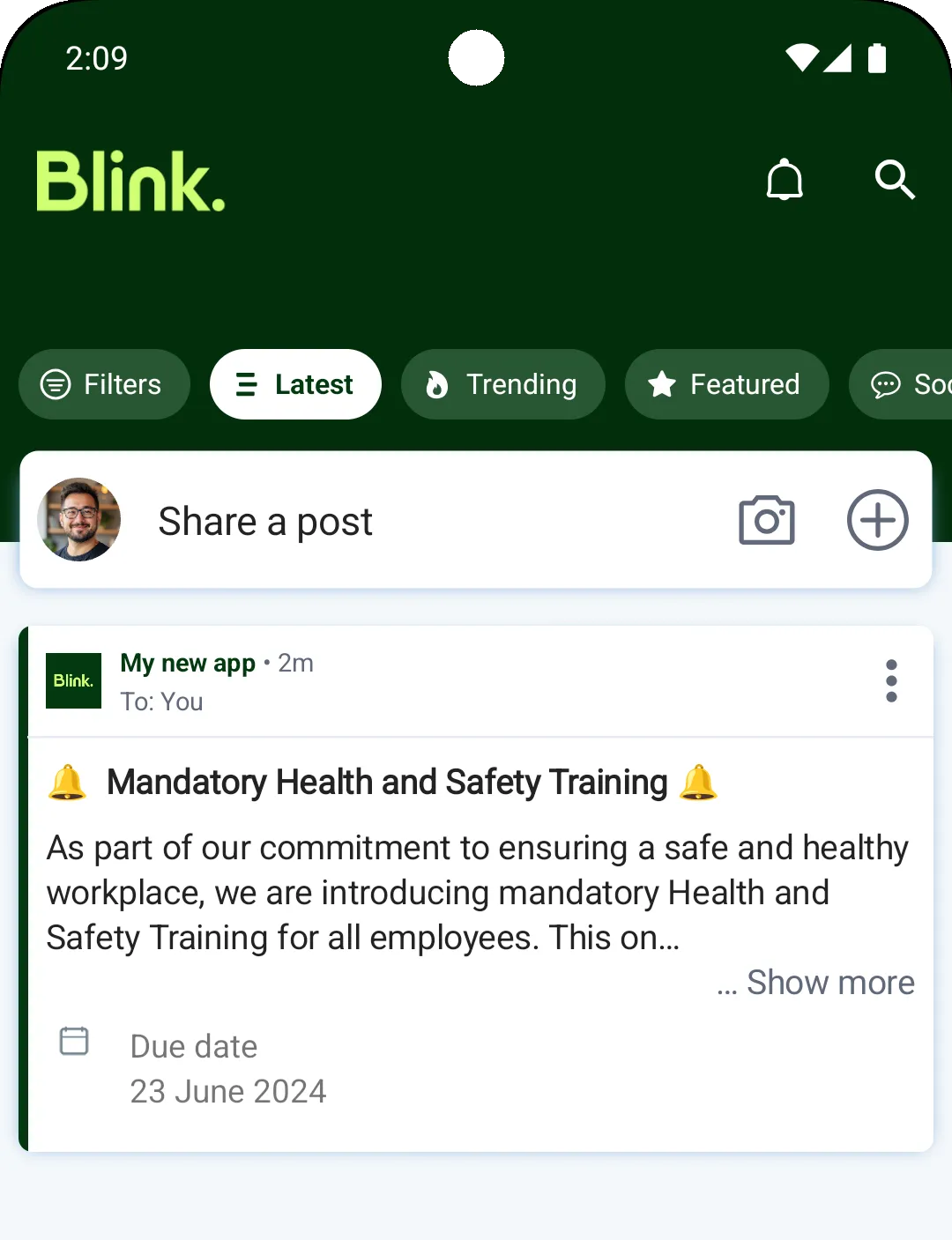
Once posted, user will see the announcement in their feed exactly as shown in the screenshot.
Use external_id to update or remove the post later if needed. It is recommended to use a unique string or identifier for every generated feed post.
You can use markdown in text sections to add emphasis and structure to the feed post content.
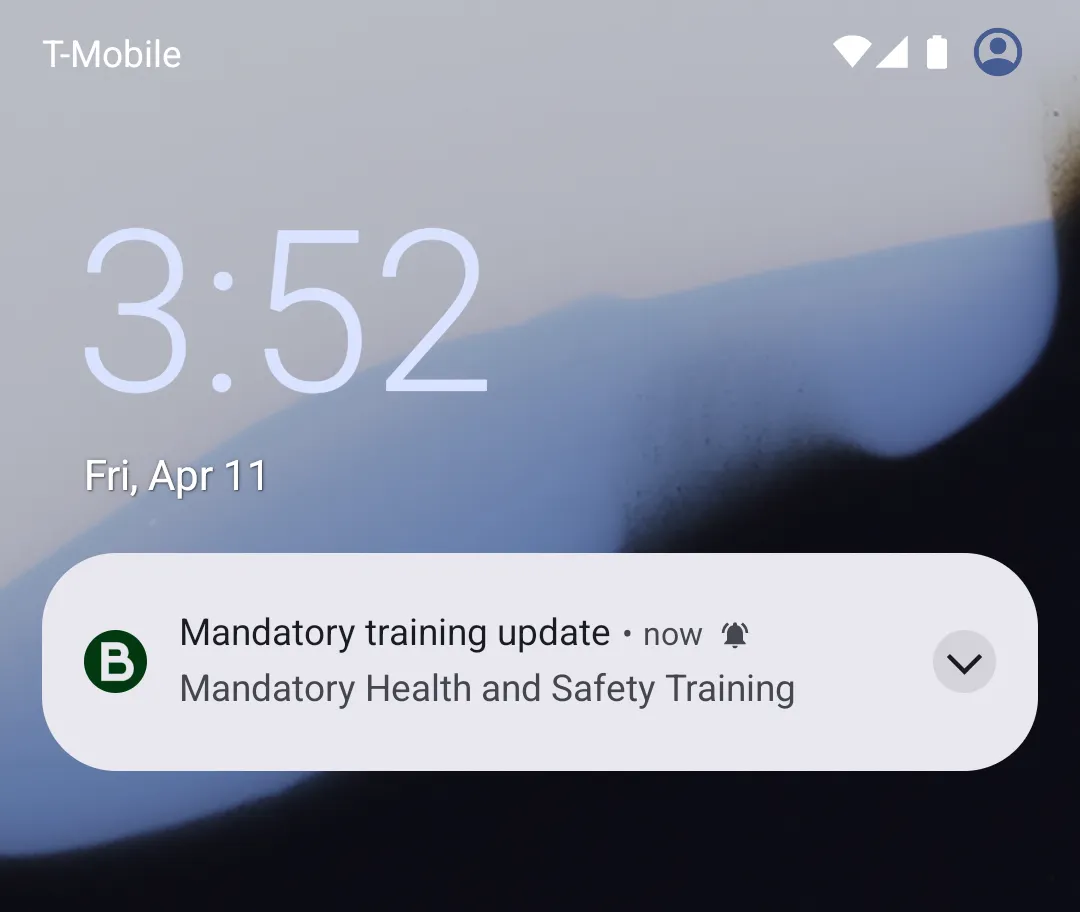
To send a push notification, define the title and text of the notification using notification_title and notification_text attributes. The way users receive the notification will depend on their device and app notification preferences.
Updated 13 days ago